MyoNav APP

3D 肌肉導航,
手機、平板、電腦都能用。
3D muscle navigation
on phone, tablet and desktop.

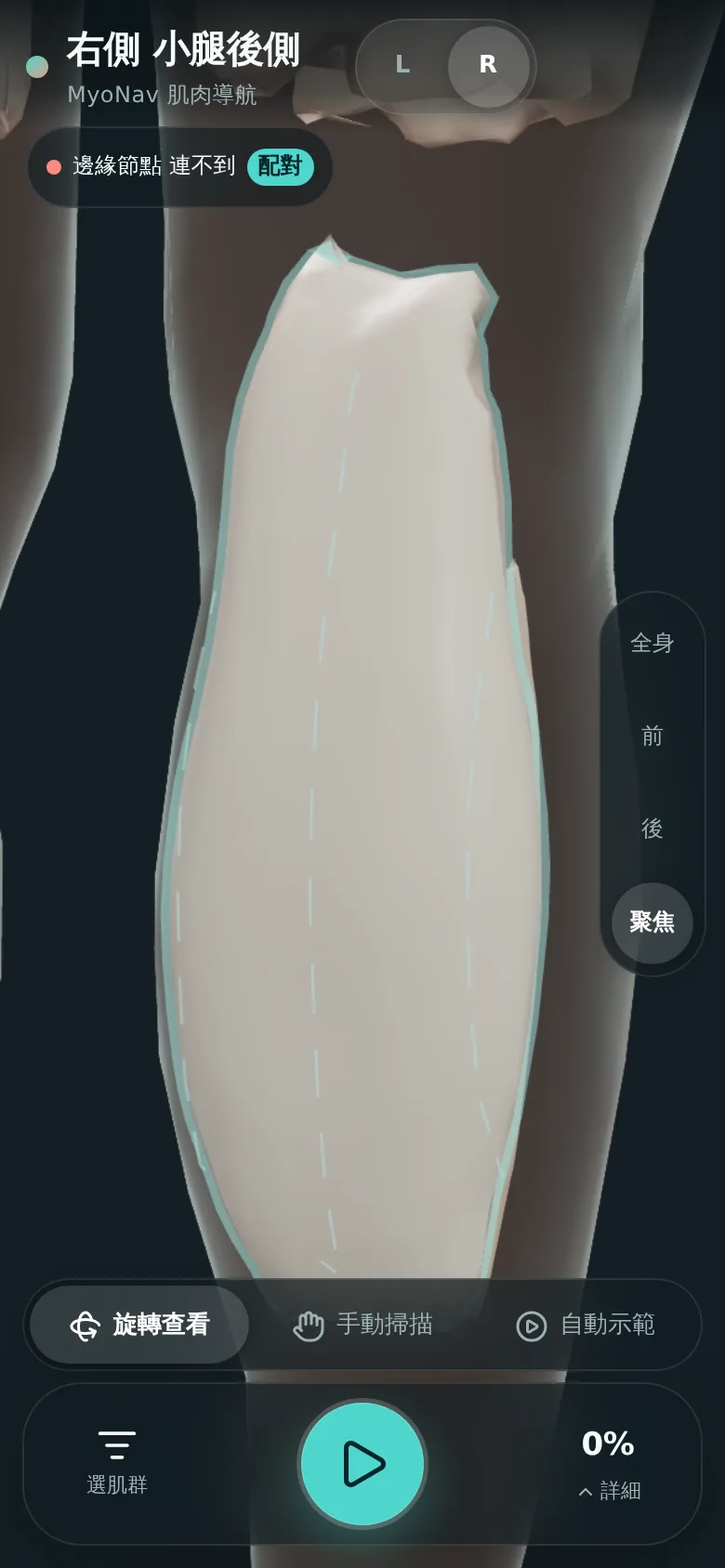
選一塊肌群,APP 以 3D 人體標出位置、畫出掃描路線,並即時顯示取樣覆蓋。連上 TouchSight 探頭與 WiFi 鏡頭後,畫面會疊上探頭實際位置。 Pick a muscle group and the app highlights it on a 3D body, draws the sweep path and shows sampling coverage live. Connected to the TouchSight probe and a WiFi camera, it overlays the probe's real position.

封閉測試中 · 邀請制Closed beta · invitation only
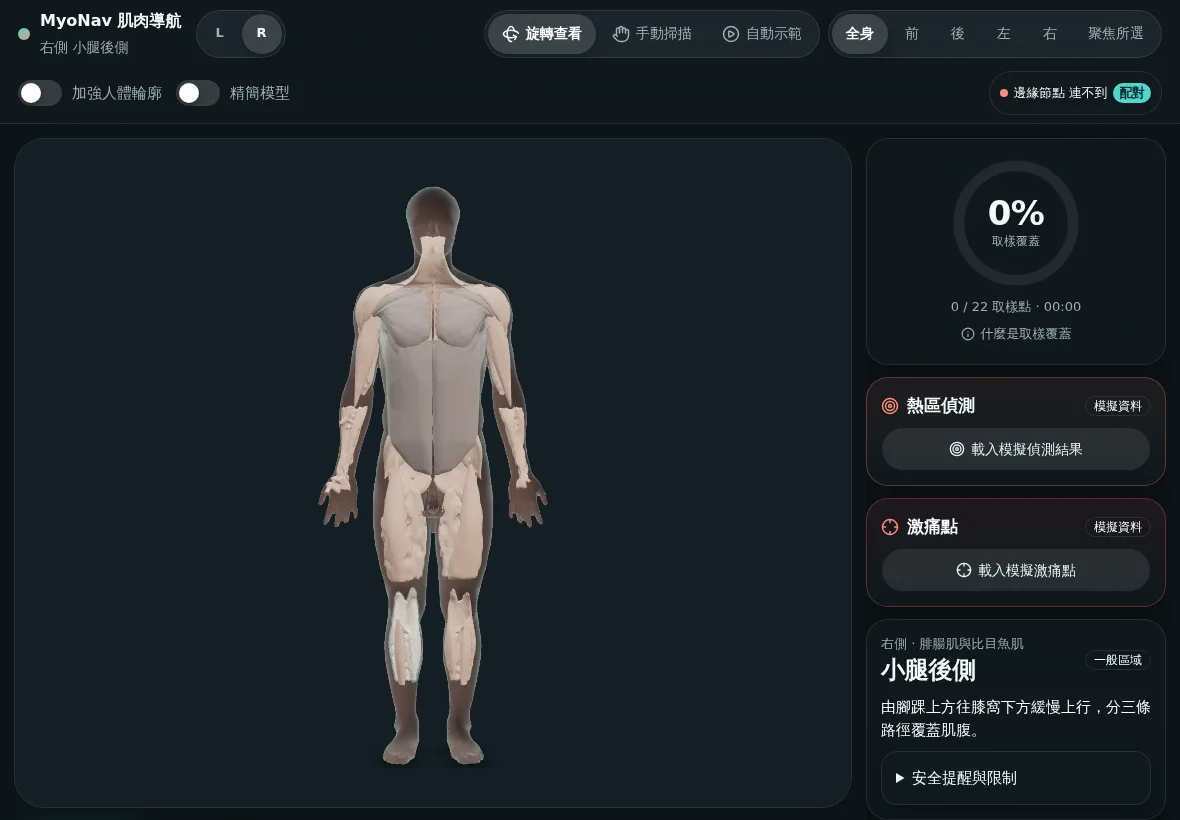
MyoNav 平板畫面:3D 全身肌群 MyoNav 手機畫面:右側小腿後側
FEATURES

APP 能做什麼What the app does

同一套介面從單機示範一路接到探頭、鏡頭與雲端;任何一層沒連上,導航照樣能用。One interface from standalone demo to probe, camera and cloud. If a layer is unavailable, navigation still works.

01

3D 全身肌群3D full-body muscle groups

14 個肌群、左右分開,可旋轉、縮放、快速切換前後左右視角。限制區只顯示位置與安全說明。14 muscle groups, left and right, with rotate, zoom and quick views. Restricted areas show location and safety notes only.

已完成Available
02

示範與手動掃描Guided and manual sweep

自動示範沿肌腹走一輪;手動掃描時,掃過的表面即時轉色,完成後可存成本機摘要。Auto demo sweeps the muscle belly; in manual mode covered surface turns teal, and a local summary can be saved.

已完成Available
03

WiFi 鏡頭疊圖 × 探頭WiFi camera overlay × probe

區網內的邊緣節點辨識人體姿勢與探頭位置,把肌群輪廓疊在鏡頭畫面上;只有探頭壓力感測確認接觸時才計入覆蓋。An edge node on your local network finds body pose and probe position and overlays muscle outlines on the camera view; coverage counts only when the probe's pressure sensors confirm contact.

封閉測試Beta
04

文字助理Text assistant

用口語描述哪裡緊繃,助理對應到部位與相關內容卡並附出處;不提供診斷,也不給操作參數。Describe where you feel tight in plain words; the assistant maps it to body regions and cited content cards. No diagnosis, no operating parameters.

建置中In progress
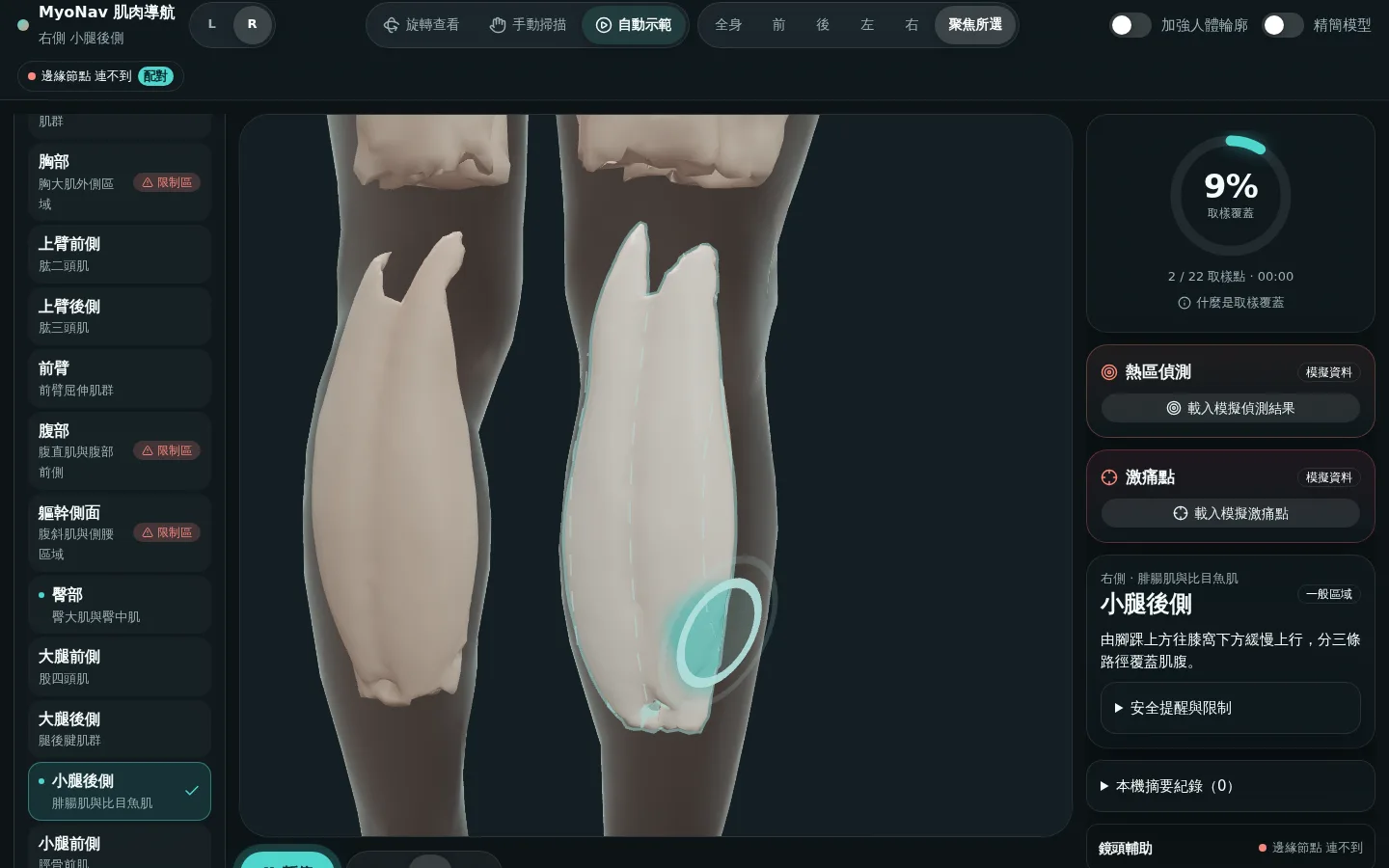
MyoNav 桌機畫面:自動示範與取樣覆蓋
桌機:自動示範進行中,右側顯示取樣覆蓋。熱區與激痛點卡片目前為模擬資料。Desktop: auto demo with live sampling coverage. Hotspot and trigger-point cards currently use simulated data.
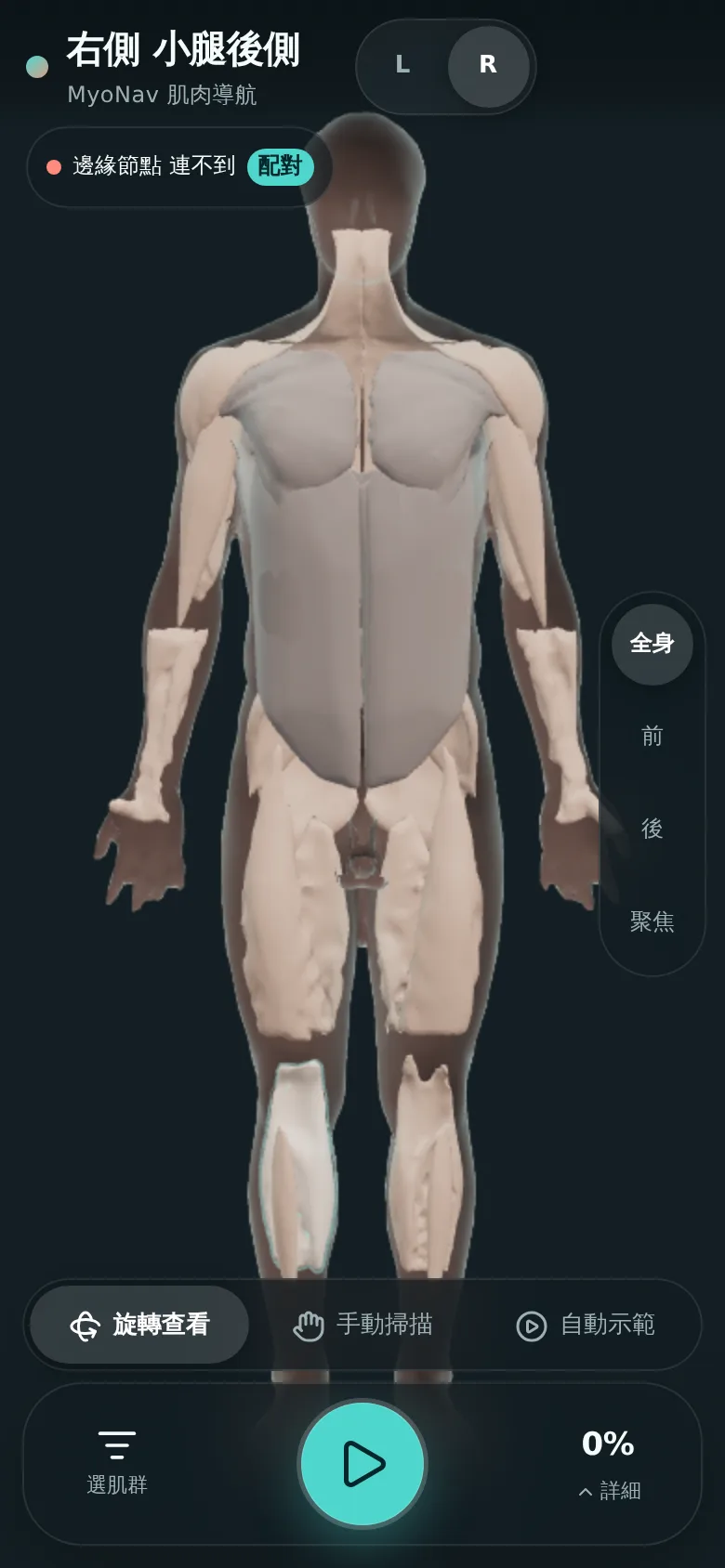
MyoNav 手機畫面:全身視角
手機:全身視角,播放鍵在拇指可及處。Phone: full-body view, controls within thumb reach.
INSTALL

下載與安裝Download & install

MyoNav 是網頁 APP,不必到商店下載。收到試用連結後,照下面步驟加到主畫面,就能像一般 APP 一樣全螢幕開啟。MyoNav is a web app — no store download needed. Once you have your beta link, add it to your home screen and it opens full-screen like any app.

iPhone · iPad

Safari
  1. 用 Safari 打開試用連結Open the beta link in Safari
  2. 點下方「分享」按鈕Tap the Share button
  3. 選「加入主畫面」→「新增」Choose “Add to Home Screen” → Add
  4. 從主畫面的 MyoNav 圖示開啟Launch MyoNav from the home screen

Android

Chrome
  1. 用 Chrome 打開試用連結Open the beta link in Chrome
  2. 點右上角「⋮」選單Tap the ⋮ menu
  3. 選「加到主畫面」或「安裝應用程式」Choose “Add to Home screen” or “Install app”
  4. 從桌面的 MyoNav 圖示開啟Launch MyoNav from your home screen

Windows · Mac 電腦Windows · Mac

Chrome · Edge
  1. 用 Chrome 或 Edge 打開試用連結Open the beta link in Chrome or Edge
  2. 點網址列右側的「安裝」圖示Click the Install icon in the address bar
  3. 確認安裝,APP 會出現在開始選單/應用程式Confirm; the app appears in Start menu / Applications

App Store 與 Google Play 版本規劃中。App Store and Google Play versions are planned.

App Store · 規劃中planned Google Play · 規劃中planned
HOW IT CONNECTS

三種使用模式Three ways to run

由上而下逐層加上裝置與雲端;上一層永遠能單獨運作。Each layer adds devices or cloud; the layer above always works on its own.

MODE 1

單機Standalone

只要瀏覽器,3D 導航、示範與手動掃描都能用。Just a browser: 3D navigation, demo and manual sweep.

  • 不需帳號、不需網路連線No account, works offline
  • 摘要只存在本機Summaries stay on device
MODE 2

區網(探頭+鏡頭)Local network (probe + camera)

同一個 WiFi 下,邊緣節點接收 WiFi 鏡頭與探頭訊號,APP 輸入配對碼後顯示疊圖。On the same WiFi, an edge node receives camera and probe signals; enter a pairing code in the app to see the overlay.

  • WiFi 鏡頭:手機 RTSP 或 Raspberry Pi 鏡頭WiFi camera: phone RTSP or Raspberry Pi camera
  • WiFi 探頭:壓力感測確認接觸WiFi probe: pressure sensors confirm contact
MODE 3

雲端(帳號+助理)Cloud (account + assistant)

登入後同步紀錄,並使用文字助理。Sign in to sync records and use the text assistant.

  • 帳號與資料庫:Supabase(東京)Accounts & database: Supabase (Tokyo)
  • API:Google Cloud RunAPI: Google Cloud Run
影像不離開你的網路。Video never leaves your network. 鏡頭畫面只在區網的邊緣節點處理;送到 APP 與雲端的只有不含影像、不含人體骨架點的位置摘要。 Camera frames are processed only on the local edge node; the app and cloud receive a position summary with no images and no body landmarks.
SYSTEM STATUS

系統狀態System status

官網Website
運作中Online
資料庫Database
已連線Connected
雲端 APICloud API
建置中Coming soon
MyoNav APP
封閉測試Closed beta
EARLY ACCESS

申請試用Request early access

留下信箱,開放名額時我們會寄試用連結與安裝說明給你。Leave your email and we'll send a beta link and install guide when a spot opens.

送出即表示同意我們依隱私權政策使用你的信箱聯絡試用事宜。 By submitting you agree we may email you about the beta per our privacy policy.

MyoNav 為一般身體保養用途的操作導航工具,不提供診斷、不量測疼痛、不宣稱療效。畫面上的熱區與激痛點若標示「模擬資料」,即非量測結果。 MyoNav is a general-wellness navigation tool. It does not diagnose, measure pain or claim therapeutic effect. Anything labelled “simulated data” is not a measurement.